NYU Langone Health offers an interactive care plan to better guide you through your care journey. We will make sure you feel informed, prepared, and supported at each step of the way.
You will be assigned different types of tasks such as education, reminders, questionnaires, and flowsheet tasks to help you work towards the goals discussed with your care team.
The following sections describe how to interact with your care plan in the NYU Langone Health app.
To view and complete the tasks in your care plan, you must first complete the following if you haven't already:
Tasks in your care plan are only available through the NYU Langone Health app.
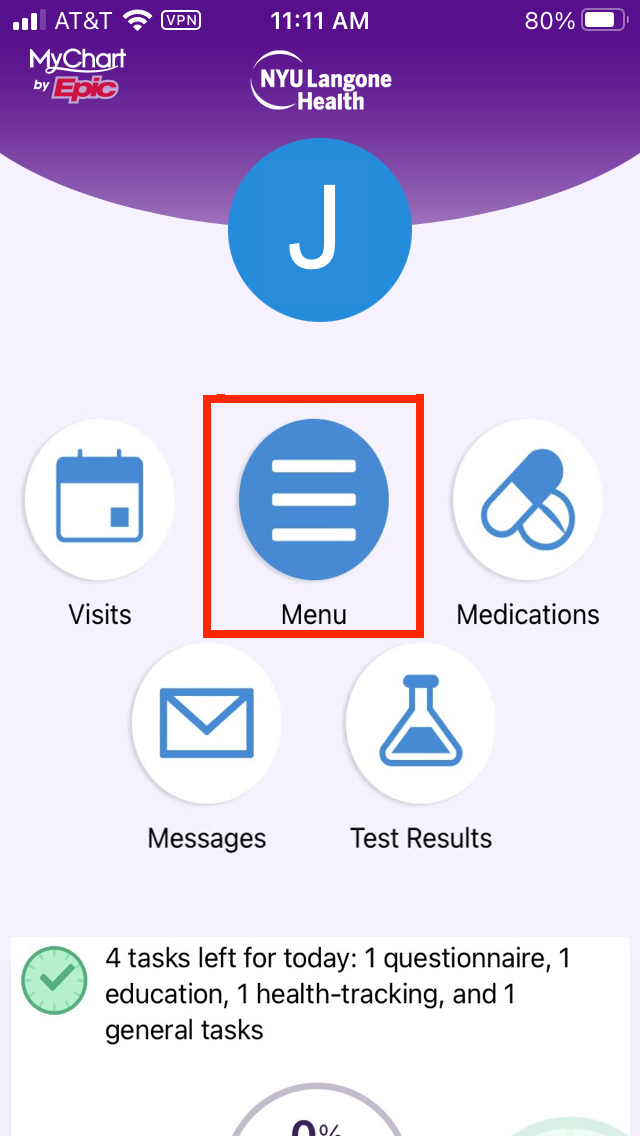
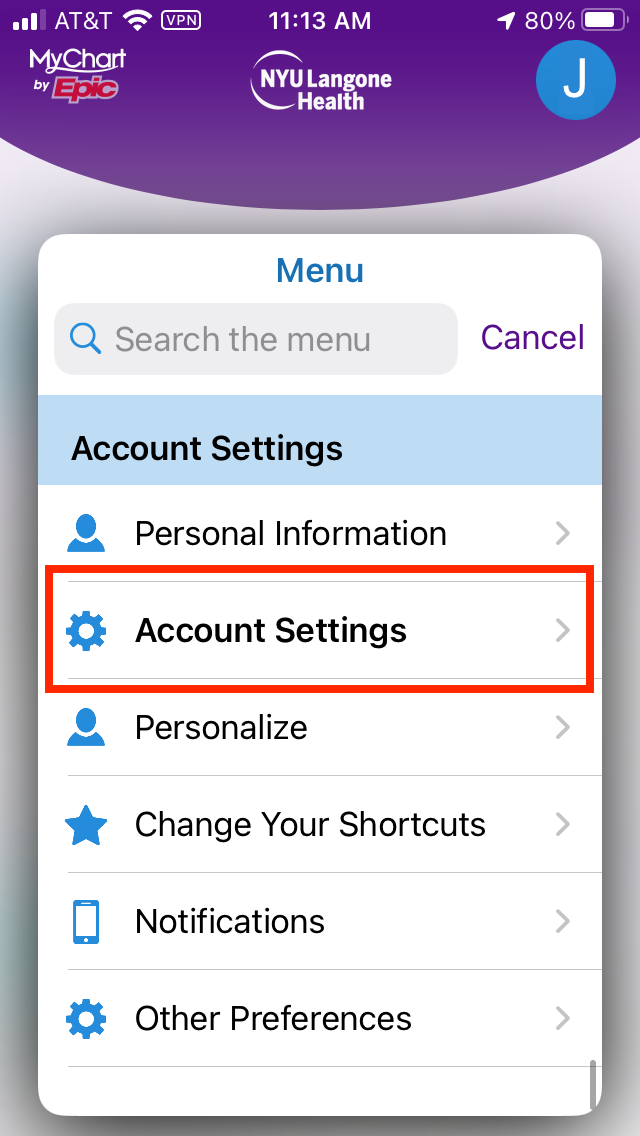
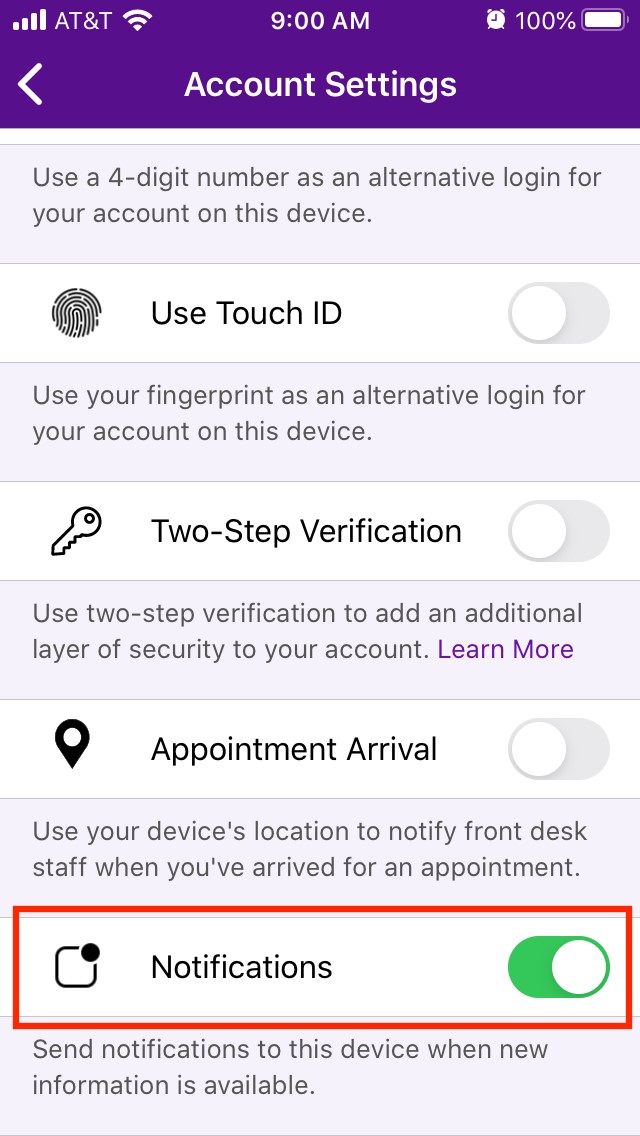
Push notifications from the NYU Langone Health app tell you when new tasks are assigned.
To make sure you receive notifications, complete the following steps.
Tasks are assigned to you based on the specific needs of your care plan.
After logging in to the NYU Langone Health app, scroll down until you see a card telling you how many tasks you need to do. Select the View tasks button to view the tasks assigned to you.
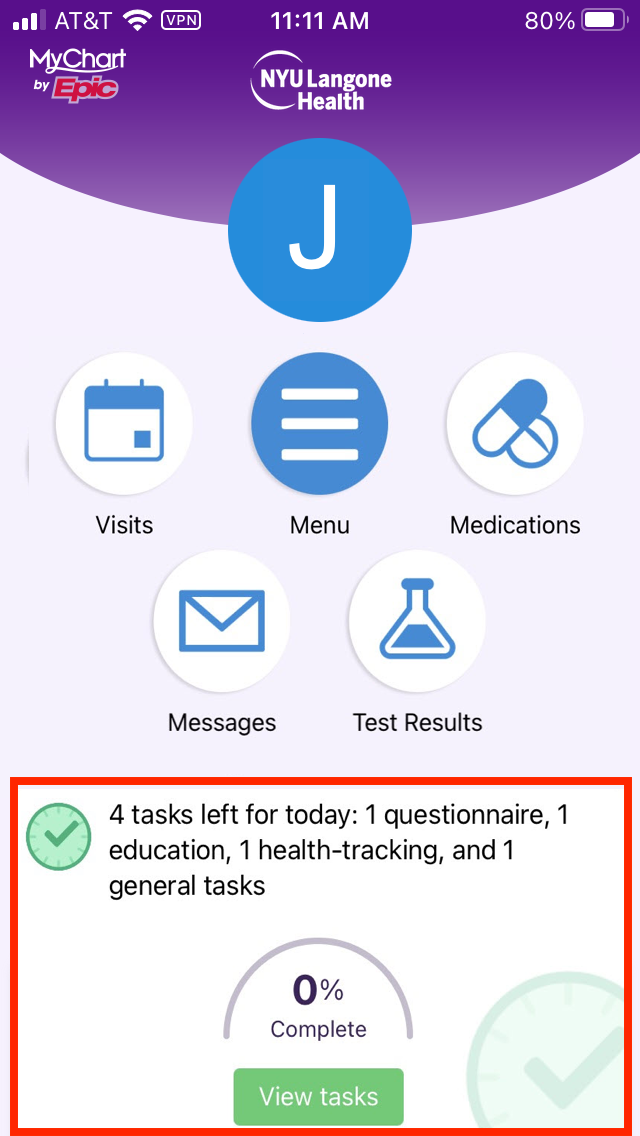
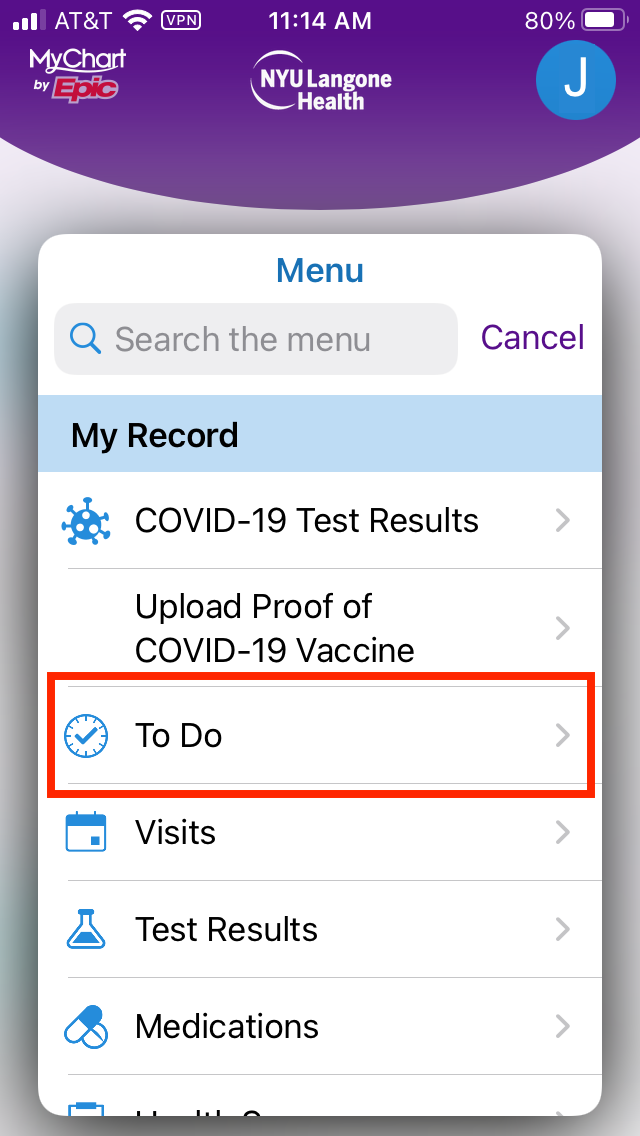
You can also follow the steps below to view your tasks.
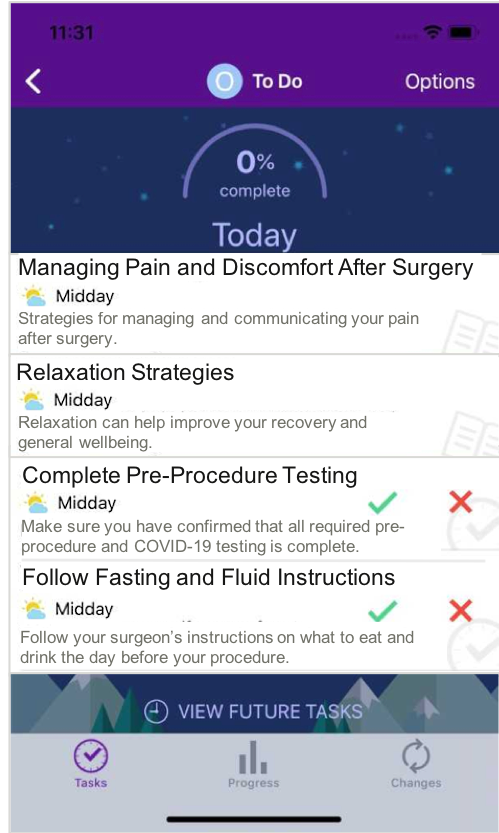
Some tasks are assigned to remind you to complete important actions.
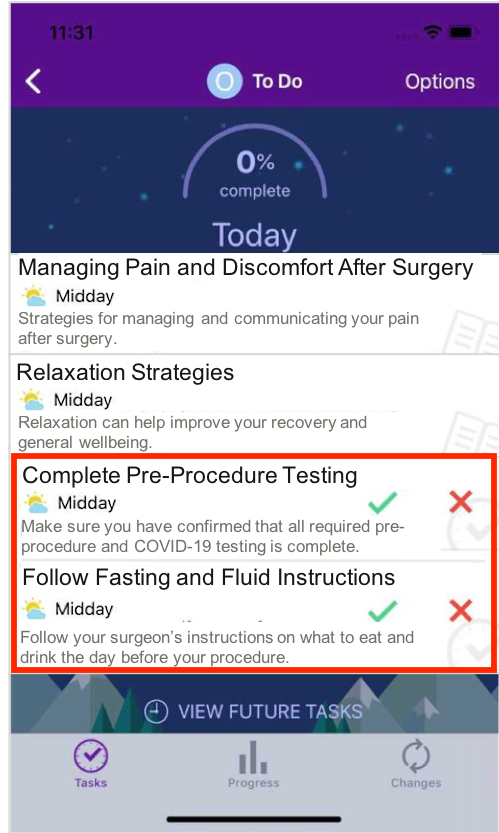
Under To Do, these tasks have a green checkmark and a red “X” next to them.
Select the green checkmark to mark the task as complete. Or click the red “X” to mark the task not complete based on your progress for the day.
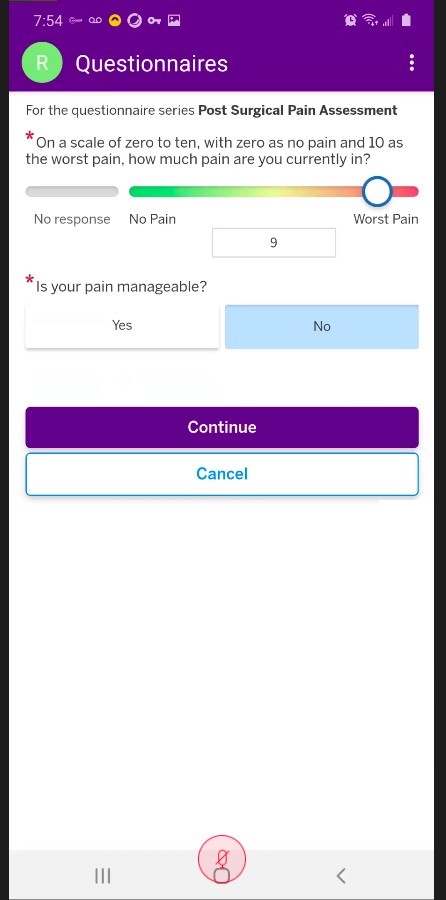
Questionnaires might be assigned in order to help your care team better monitor your progress.
Under To Do, click the task to view the questionnaire and enter the requested information. The submitted information will be added to your patient record and available for your care team to review.
In some cases, depending on your responses, your care team may follow up with you to check in or request additional details.
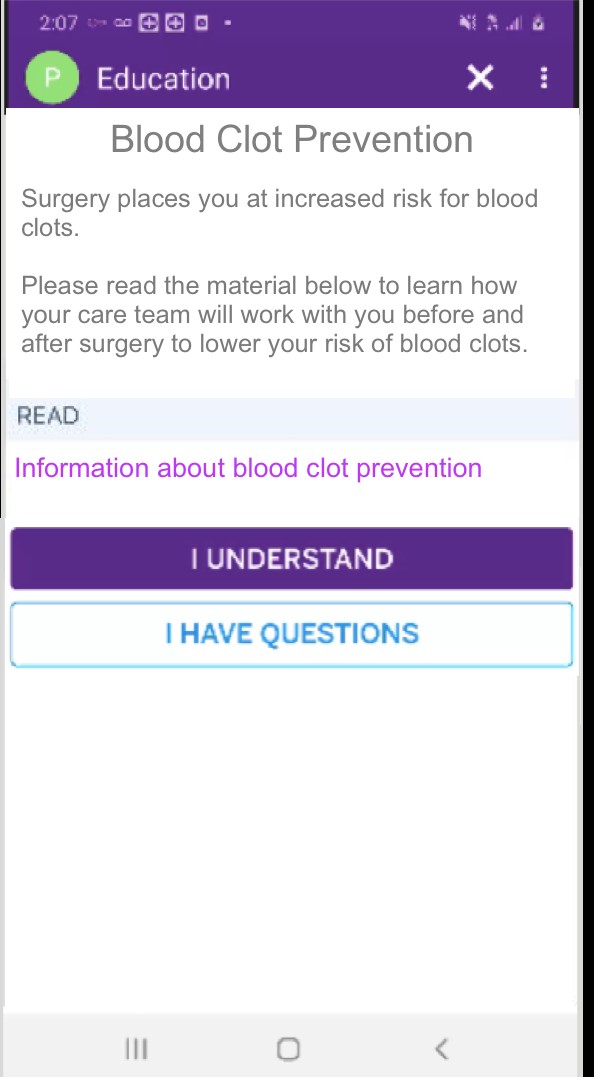
Education tasks are assigned to help you better understand your care and what to expect.
Under To Do, click the task to view the education. The education might include links with additional information to read or videos to watch. There may also be audio that you can listen to.
When you have completed the education, click I Understand.
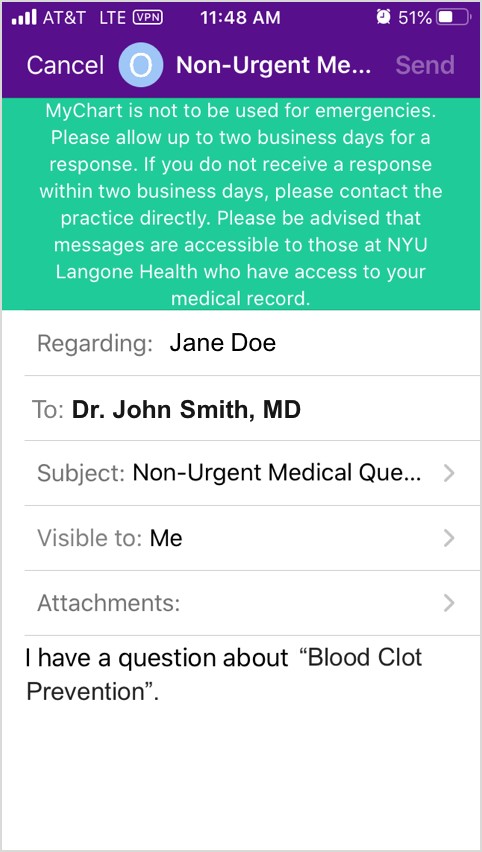
If you have questions about the education, click I Have Questions. A message form will be displayed where you can select the care team member you want to direct the question to. Select “Non-Urgent Medical Question” for the subject if not already filled in. Then update the message to include your specific questions and click Send.
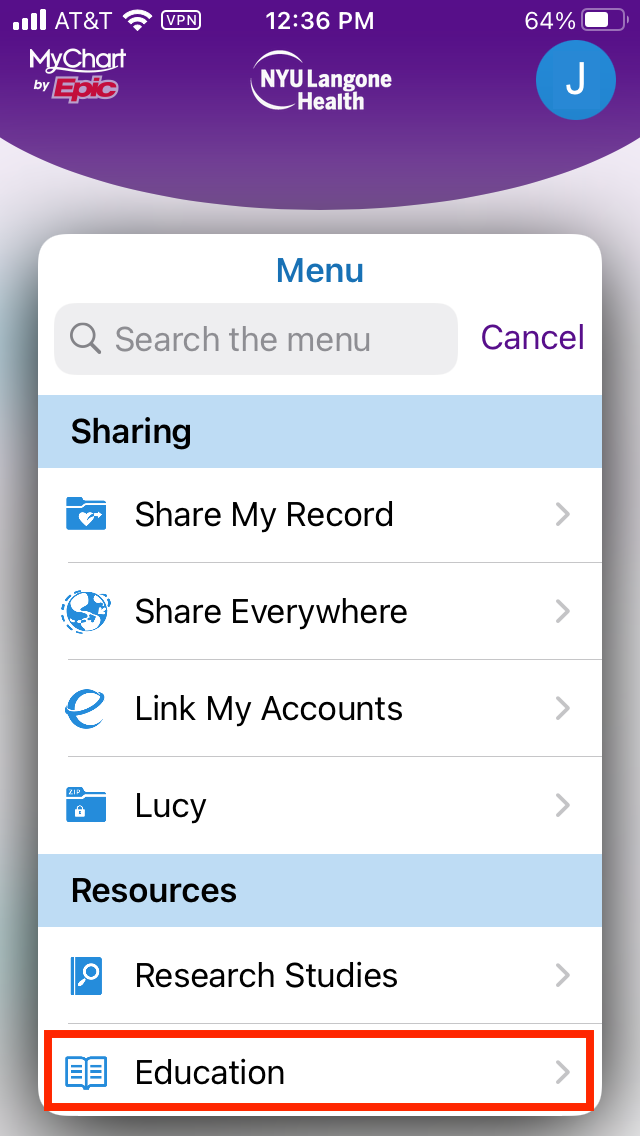
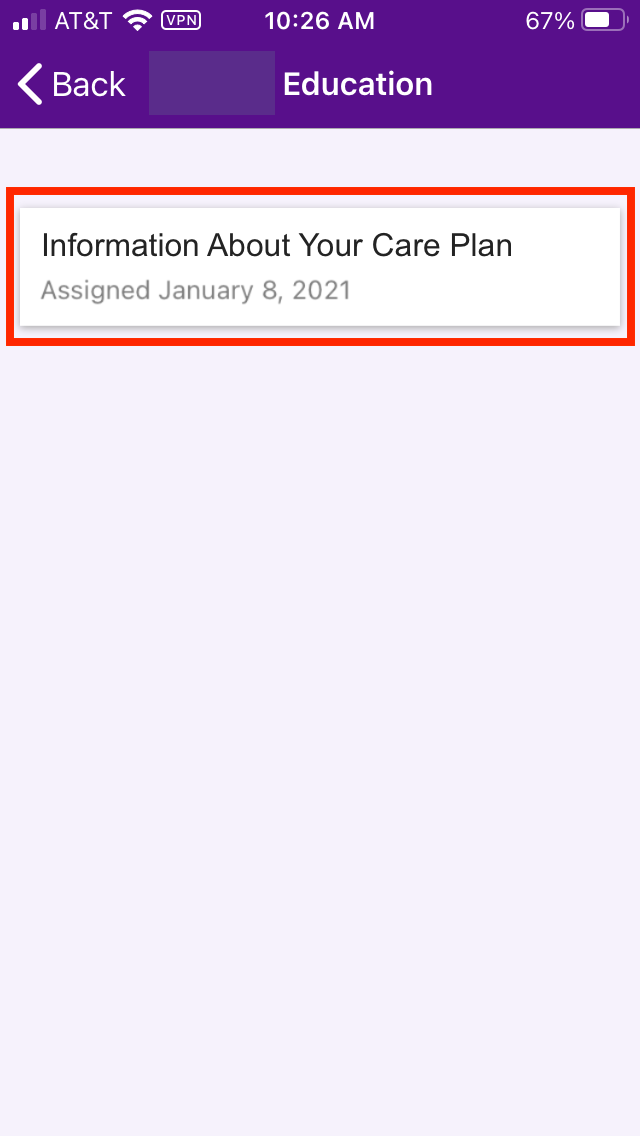
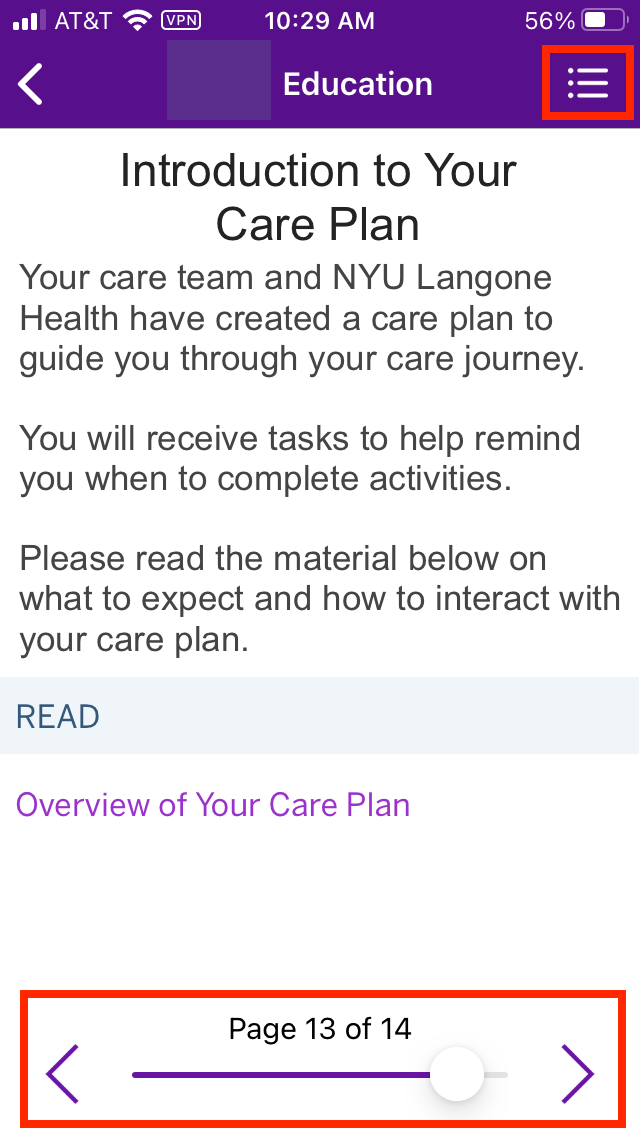
You may find it beneficial to review education that you've already completed.
To review education topics you've previously completed:
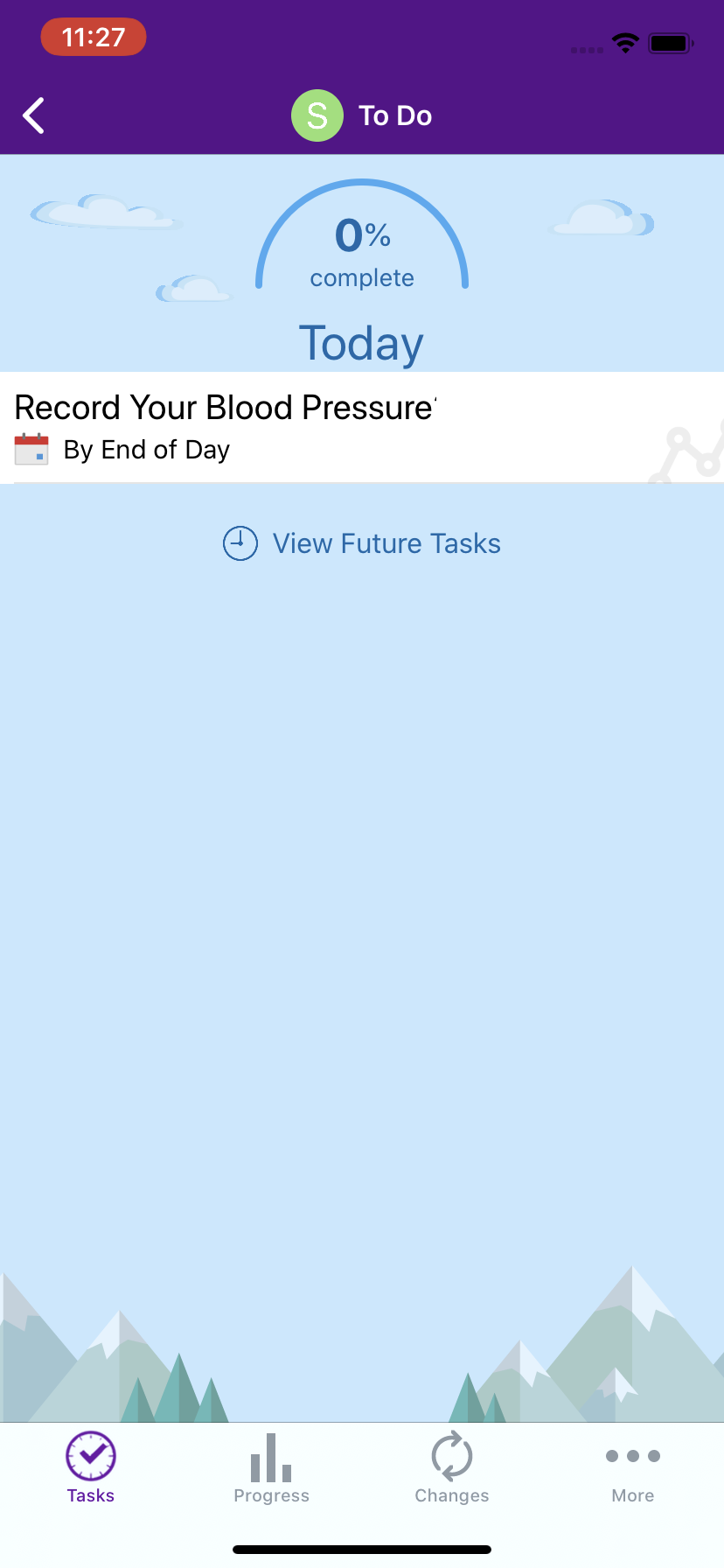
Flowsheet tasks are assigned to gather important vitals and other information. This helps you and your provider track your health over time.
Under To Do, the flowsheet task will display when you need to take a reading.
If you've linked your health monitoring device to the NYU Langone Health app, then your health data is shared with your NYU Langone Health app. Flowsheet tasks are automatically completed when you use the health monitoring device.
If your health monitoring device does not let you automatically sync readings to your smartphone, you can select the flowsheet task and enter readings by hand into the NYU Langone Health app.
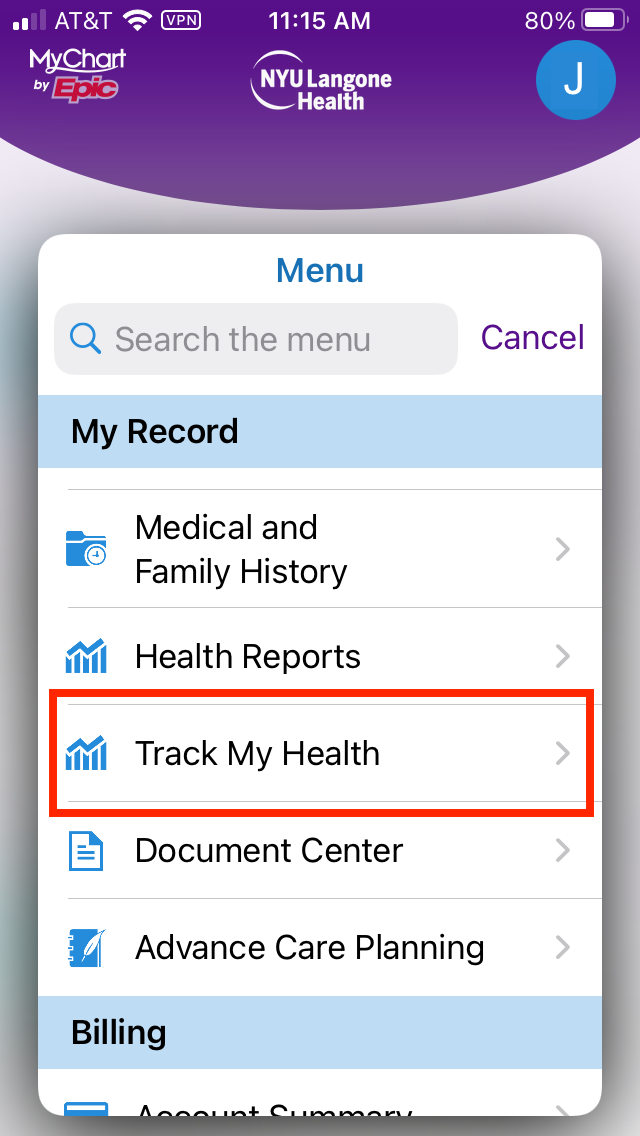
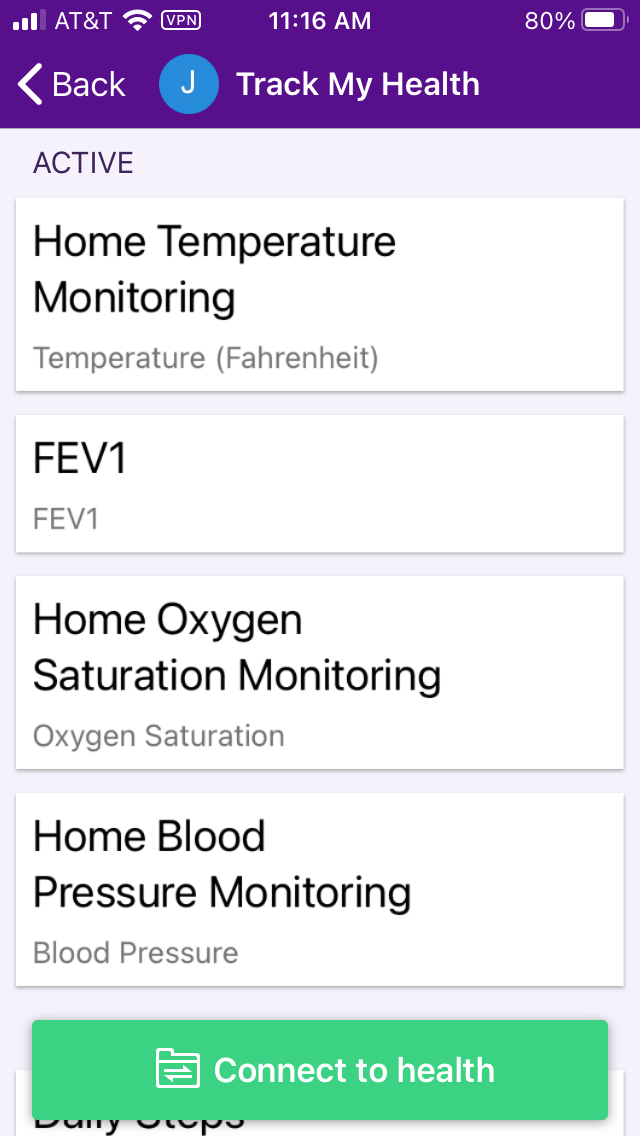
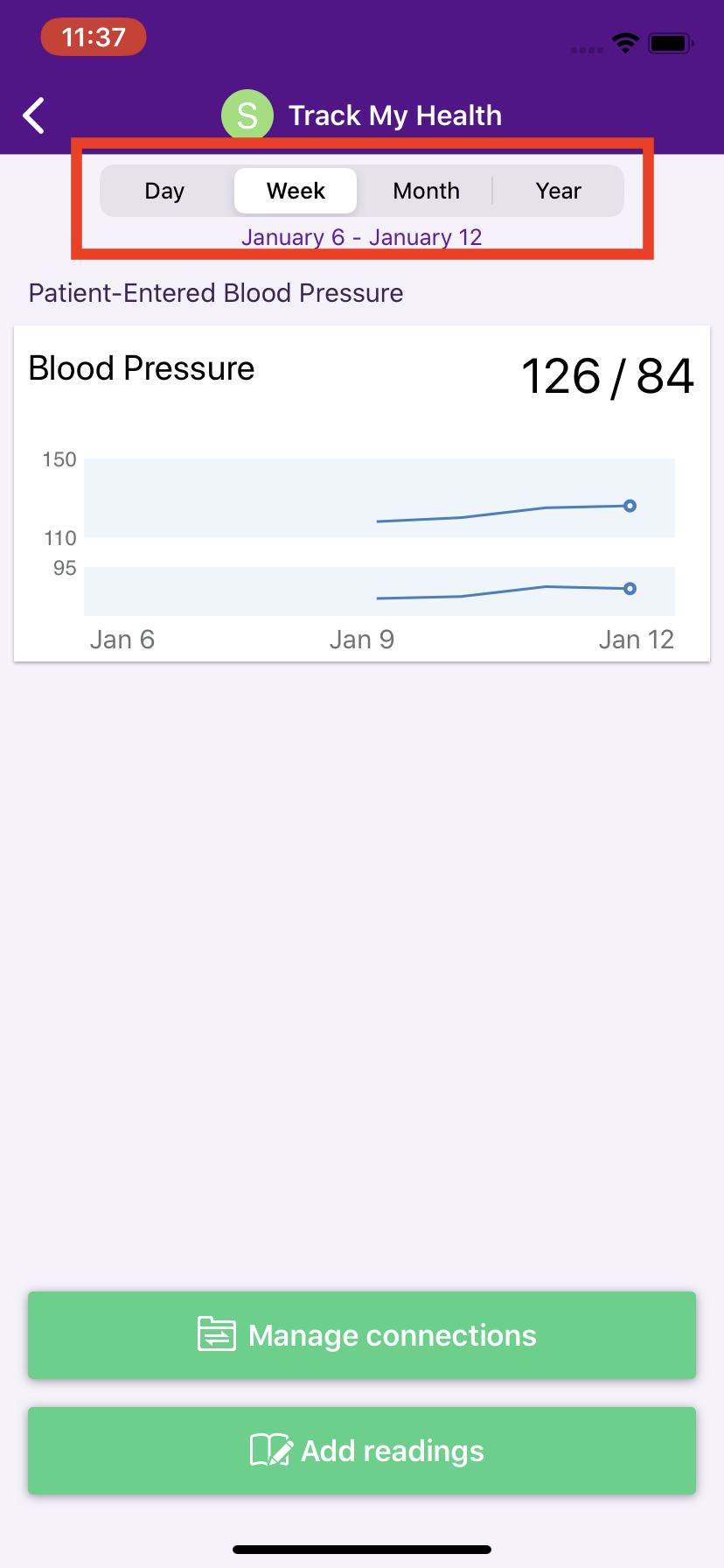
If you are assigned flowsheet tasks, you may find it helpful to review health data you previously recorded.
To review your health data:
Under To Do, you can also access tasks assigned to you that are overdue or scheduled for the future.
If there are tasks that were assigned to you and were not completed on time, you can click Overdue Tasks to view and complete them.
To view tasks that will be assigned to you over the next several days, click Future Tasks to preview them.
For technical support with the NYU Langone Health app or your MyChart account, please call 866-262-6458.
© NYU Langone Health. All rights reserved. Reviewed for health literacy. This information is not intended as a substitute for professional medical care. Always follow your health care provider's instructions.