
Follow these steps to turn on (enable) Bluetooth on your Android smartphone.
Enabling Bluetooth is an important step before connecting your health monitoring device to your phone.
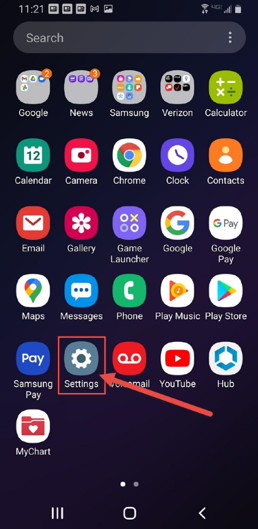
1. From the home screen of your phone, go to the Settings icon. Click the icon.
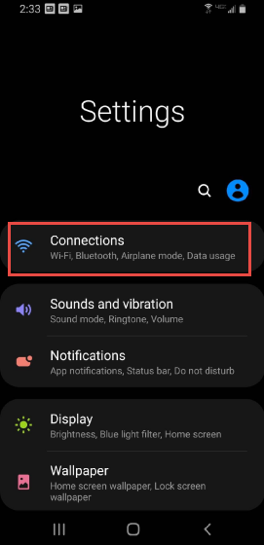
2. From the Settings menu, select Connections.
3. Under Connections, scroll down and select the Bluetooth section.
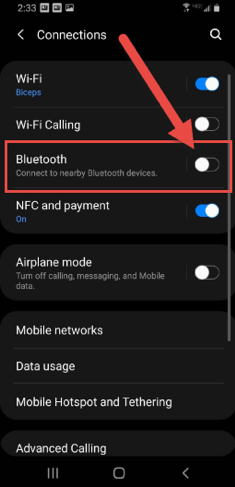
4. Turn Bluetooth on by sliding the button (toggle) to the right. The toggle turns blue when Bluetooth is enabled.
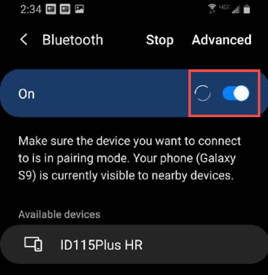
5. You have successfully enabled Bluetooth on your phone. You can now go back to the home screen.
© NYU Langone Health. All rights reserved. Reviewed for health literacy. This information is not intended as a substitute for professional medical care. Always follow your health care provider's instructions.